Manage all devices
from one screen
Screen monitoring, power control, web restrictions, file distribution and more.
From classrooms to offices, Remotto manages it all.
All the tools you need, in one place
Everything you need for PC management, delivered through a simple interface
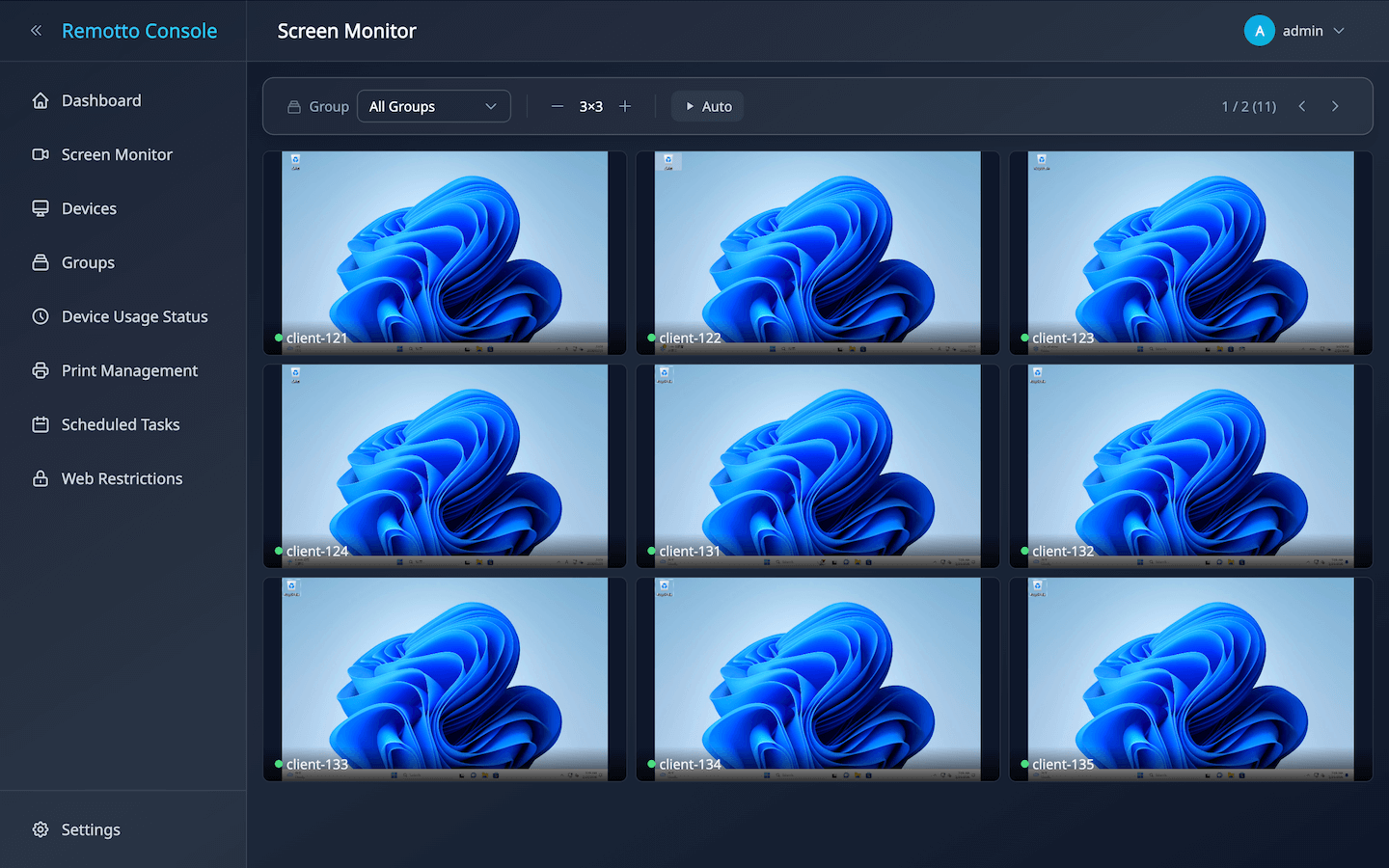
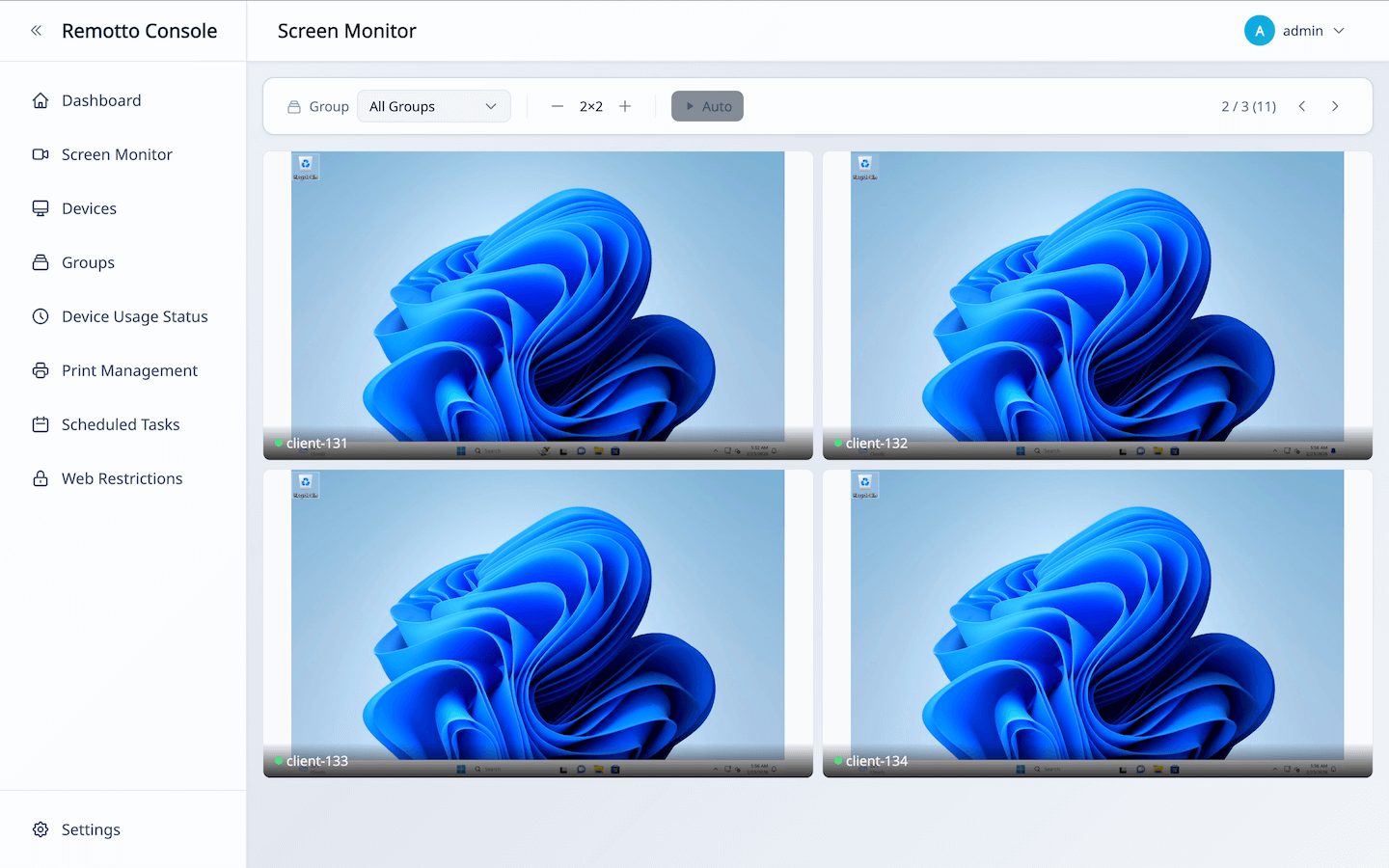
Real-Time Screen Monitoring
View all device screens as live thumbnails. Instantly spot users who need assistance and respond quickly. Streaming quality is adjustable to match your network environment.
Screen Sharing & Presentation
Broadcast your screen to all devices in real time. Share demos, tutorials, and materials directly on each user’s screen.
Bulk Power Control & Scheduling
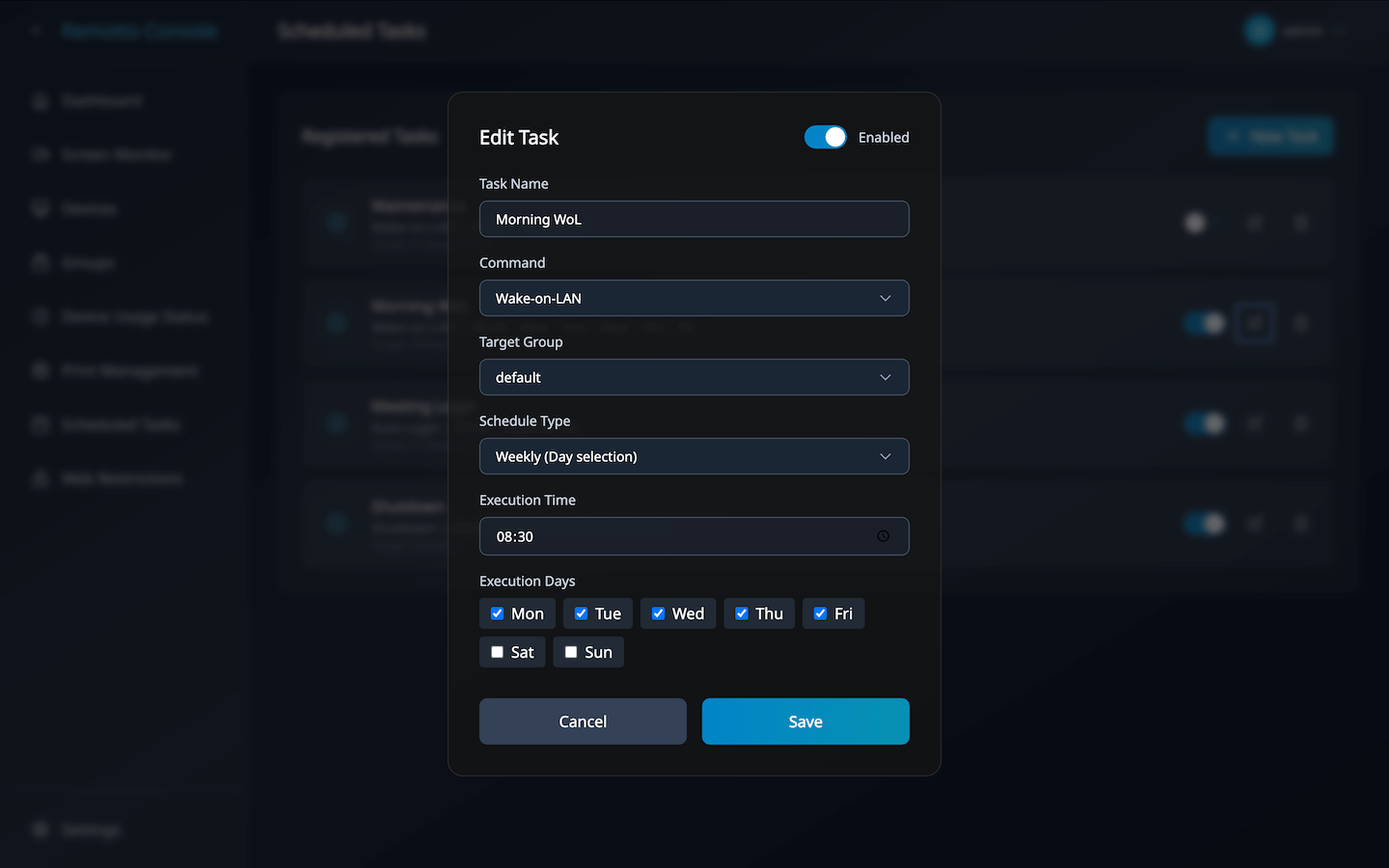
Power on, shut down, or restart all devices with one click. Schedule by day and time to automate morning startups and end-of-day shutdowns — fully hands-free.
Remote Auto-Login
Sign users into Windows remotely in bulk. Devices are ready to use the moment users arrive — no password entry needed.
Bulk File Distribution
Distribute documents and files to all target devices at once. Eliminate the need for USB drives or file servers and dramatically reduce distribution time.
Web Access Restrictions
Block access to non-work / non-study websites. Choose between whitelist and blacklist modes, and apply different rules per group.
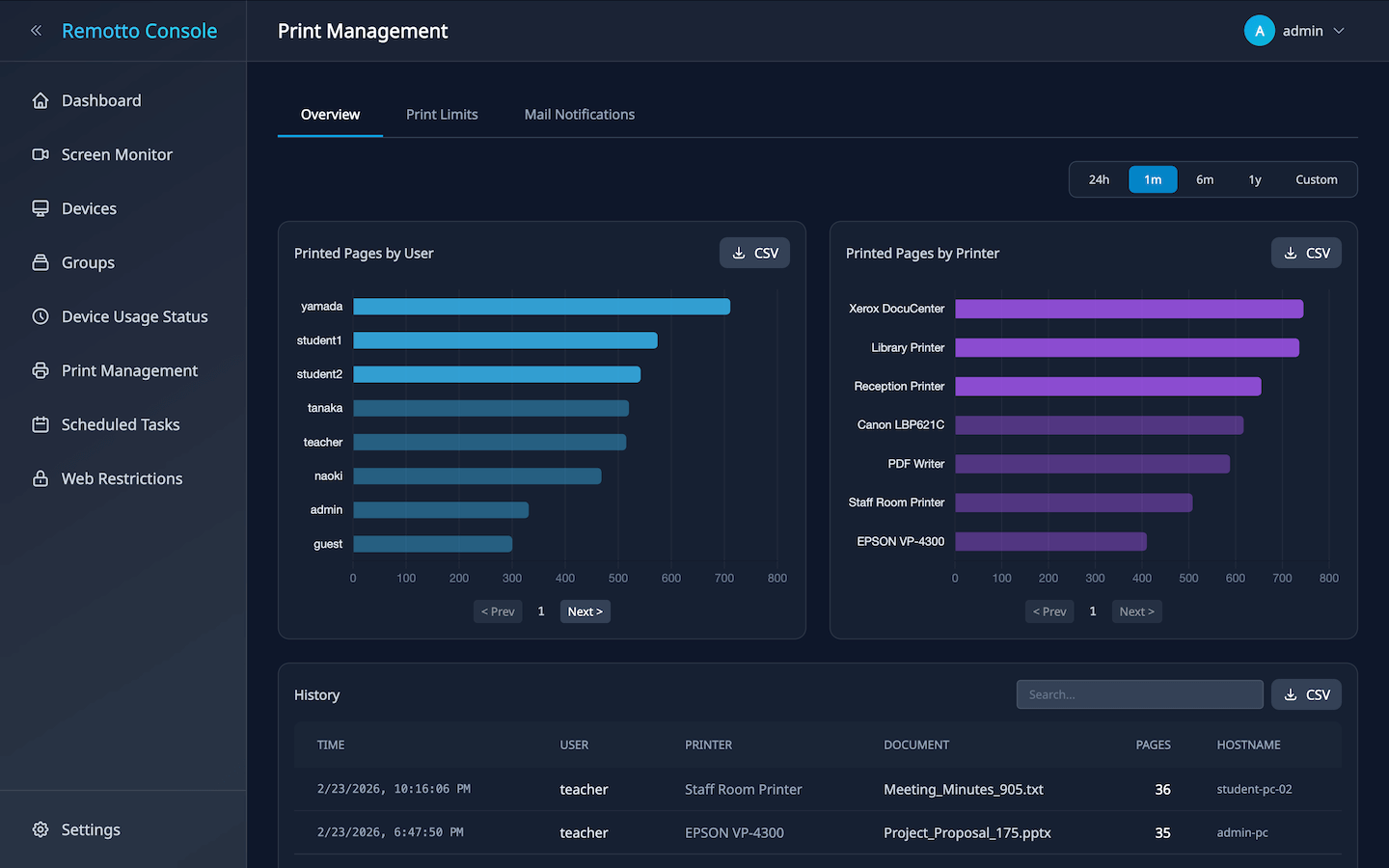
Print Monitoring & Quotas
Automatically log who printed what and when. Set per-user page limits with automatic blocking when exceeded. Helps cut paper and toner costs significantly.
Activity Logs & Usage History
Automatically track boot times, logged-in users, and uptime for every PC. Analyze usage patterns and detect unauthorized access during off-hours.
USB/CD Media Removal Alert
Warns users if USB drives or CDs are still connected at shutdown. Reduces data leak risks and prevents media loss on shared PCs.
Use Cases
Deployed across educational institutions and businesses worldwide
School & University PC Labs
Set up bulk power-on, auto-login, and web restrictions from the Admin Console. Monitor student screens in real time and distribute materials — all from the instructor app. Streamline class preparation and delivery.
Corporate Shared PCs & Hot-Desking
Track who is logged in to which PC in real time. Automated end-of-day shutdowns reduce energy costs, and activity logs provide full visibility into usage patterns — reducing IT management overhead.
Cram Schools & Training Centers
Apply web restrictions via the Admin Console to keep learners focused. Monitor screens in real time and distribute course materials instantly from the instructor app.
Libraries & Public Facilities
Enforce web restrictions and print quotas on public PCs. Auto-shutdown at closing time eliminates forgotten PCs. Usage logs provide complete visibility into facility usage.
Benefits
See how Remotto transforms your workplace
Focus on What Matters
View all device screens at a glance from the dedicated Viewer app. Instantly identify devices that need attention — no more walking between floors and checking PCs one by one. Stay focused on teaching, training, and management.
Automate Daily Operations
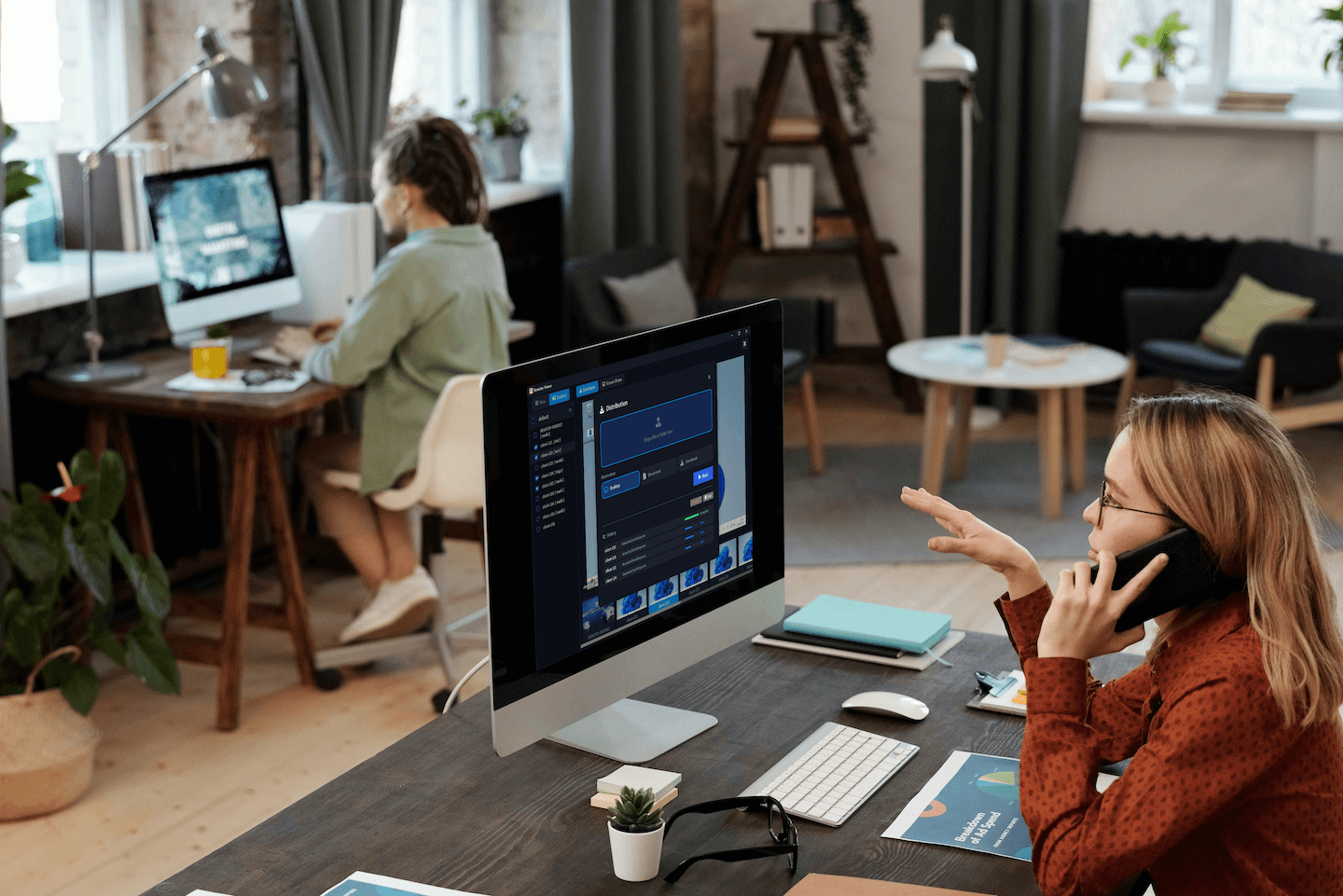
Use the Admin Console’s scheduling feature to automate morning power-on and end-of-day shutdowns. Bulk boot and login from the console — dramatically cutting time spent on daily routines.
Visualize & Prevent Security Risks
Block unauthorized websites via the Admin Console’s web restrictions. Automatic print logging and real-time screen monitoring from the Viewer create awareness that discourages data leaks and unauthorized use.
Measurable Cost Savings
Visualize and limit print usage to significantly reduce paper and toner costs. Scheduled shutdowns cut energy bills too. Quantifiable results make budget justification easy.
System Requirements
Runs smoothly on standard PC environments
Client (Managed PCs)
| OS | Windows 10, 11 (Home/Pro/Enterprise) |
|---|---|
| CPU | Core i3 or higher recommended |
| Memory | 4GB+ (8GB recommended) |
| Network | Wired LAN or stable Wi-Fi |
Server
| OS | Windows 10, 11 / Windows Server 2016+ / Ubuntu 24.04 / Debian 13 / Rocky Linux 10.1 |
|---|
Recommended specs (for ~500 devices):
CPU 8 Cores / RAM 16 GB (~16MB per device) / Network 1 Gbps / Storage 100 GB
* Lower specs are sufficient for smaller deployments.
Pricing
Simple pricing that scales with you. One-time purchase — no cancellation needed
Light
- Up to 50 devices
- Web access restrictions
- Print management
- Usage logs
- Scheduled tasks
- LDAP/AD integration
Business
- Unlimited devices
- Web access restrictions
- Print management
- Usage logs
- Scheduled tasks
- LDAP/AD integration
Frequently Asked Questions
Try It Free
No account required. Completely free for up to 5 devices.
Client
Server
Check our Installation Guide for setup instructions and basic usage.